


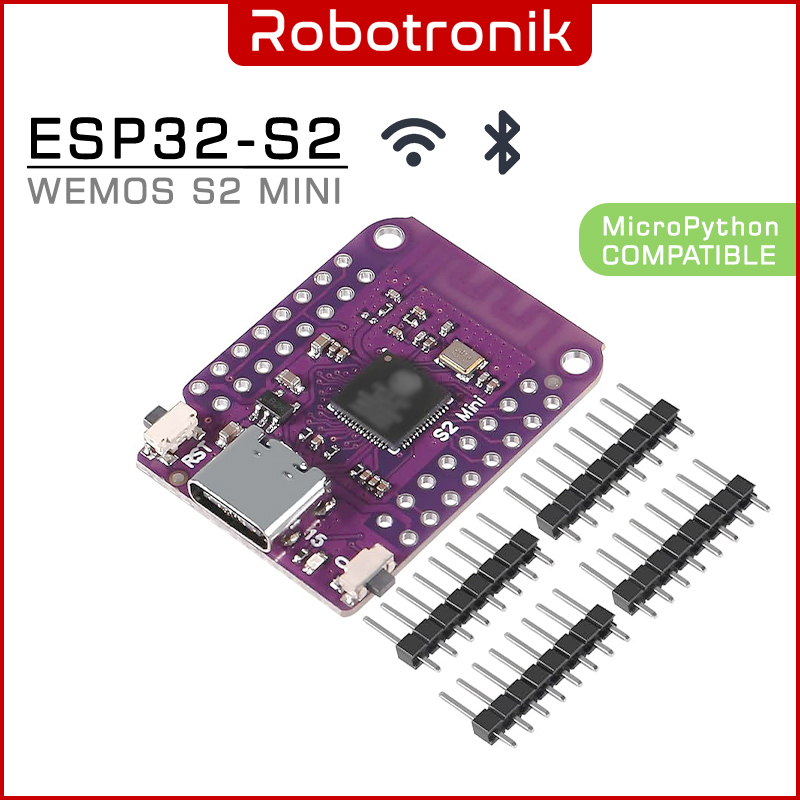

The ESP32-S2 Mini WiFi Development Board is a compact, powerful microcontroller board based on the ESP32-S2FN4R2 chip, offering robust wireless capabilities and a wide range of GPIO options. It is ideal for IoT, smart devices, wearable electronics, and embedded system applications. With its onboard USB Type-C connector, compatibility with popular platforms like MicroPython and Arduino, and support for a variety of protocols, this board provides a versatile development environment in a small footprint.
Features
- Built on the powerful ESP32-S2FN4R2 WiFi IC
- USB Type-C interface for easy programming and power
- 27 Digital I/O pins, all supporting:
- Interrupts
- PWM
- I²C
- One-Wire communication
- Onboard hardware peripherals include:
- ADC (Analog to Digital Converter)
- DAC (Digital to Analog Converter)
- I²C
- SPI
- UART
- USB OTG
- Compatible with MicroPython and Arduino IDE
- Preloaded with MicroPython firmware
Specifications
| Parameter | Value |
|---|---|
| Chipset | ESP32-S2FN4R2 |
| Flash | 4MB embedded flash |
| PSRAM | 2MB embedded PSRAM |
| WiFi | 2.4GHz, IEEE 802.11 b/g/n |
| USB Interface | Type-C USB |
| Digital I/O Pins | 27 pins |
| ADC Channels | Yes |
| DAC Channels | Yes |
| Communication Interfaces | UART, SPI, I2C, I2S, USB OTG |
| Programming Support | MicroPython, Arduino |
| Default Firmware | MicroPython |
| Power Supply | 3.3V or via USB |
| Board Dimensions | Mini form factor (similar to ESP8266 boards) |
Installing Wemos S2 Mini in Arduino IDE Install Arduino IDE software (www.arduino.cc) In Arduino IDE, go to FILE and then to PREFERENCES.
- Under MORE BOARD MANAGER URLS, enter the following URL:
https://raw.githubusercontent.com/espressif/arduino-esp32/gh-pages/package_esp32_index.json
(if there is already a url for example the ESP8266 boards, then add this url with a comma in between. - Now go to TOOLS, BOARD and BOARD MANAGEMENT Find the correct library (ESP32 by Espressif Systems) and install it (this only needs to be done once)
Choose the LOLIN S2 Mini board in the list under TOOLS, BOARD Set the upload speed to 115200 baud Set the port to the correct COM port.
Note
This board does not automatically appear on your computer when connecting to an IDE. To enter programming mode:
-
Press and hold the "0" (BOOT) button
-
While holding the "0" button, press and release the "RST" (Reset) button
-
Then release the "0" button
-
The board will now appear on a COM port for uploading firmware
Wemos S2 Mini ESP32-S2 WiFi Development Board (OT2743) - Arduino & MicroPython Compatible
- Product Code: M-CTRL_WEMOS-ESP32-S2
- Availability: 3
RM18.99
- Ex Tax: RM18.99